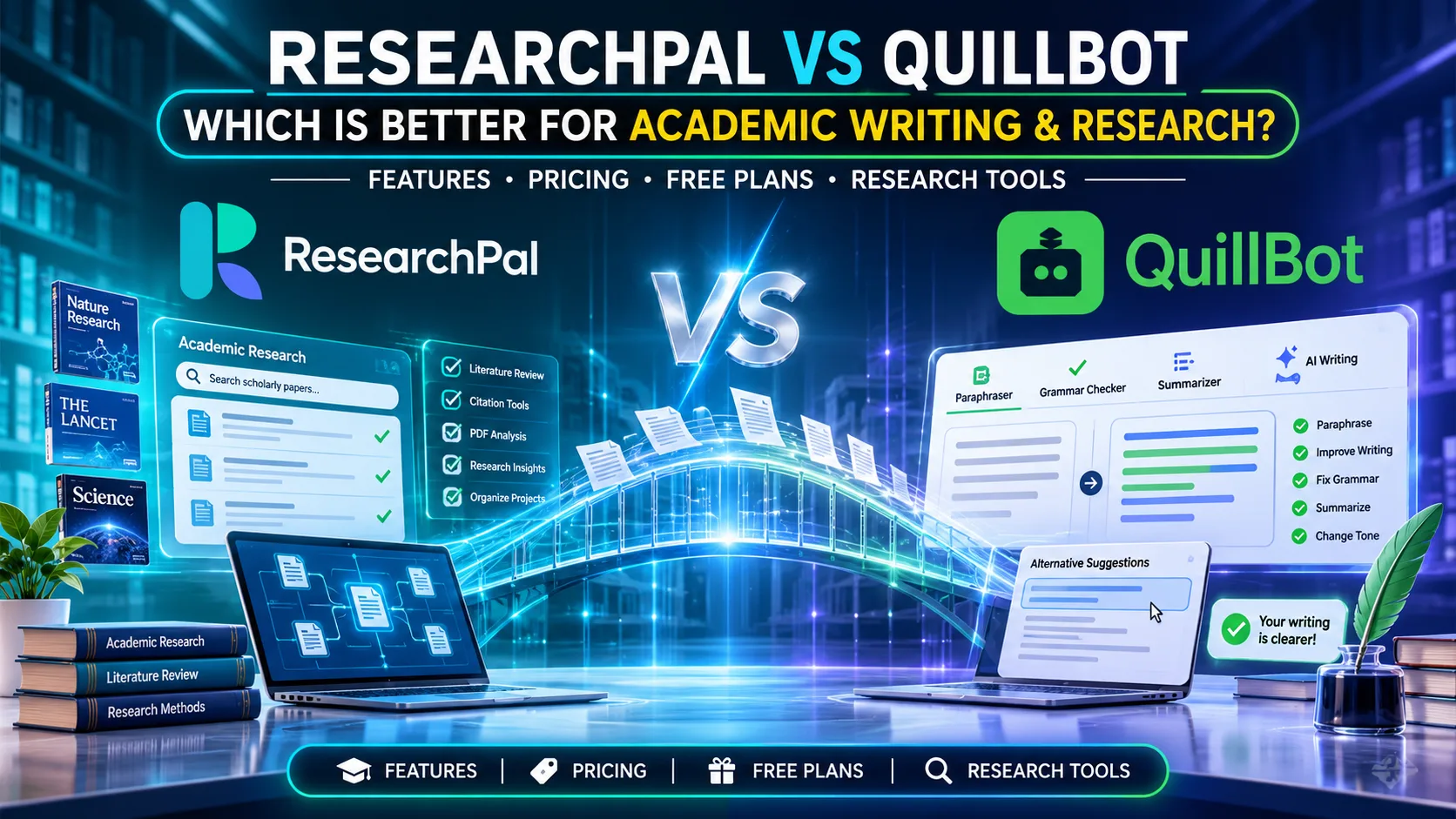
Choosing an AI writing tool is easier when you know exactly what you need it to do. Some people want to rewrite sentences, correct grammar, and make their writing clearer. Others spend hours finding academic papers, reviewing previous studies, organizing citations, and preparing research documents.
ResearchPal and QuillBot are two platforms that can help with parts of this work, but they approach the problem differently.
QuillBot is widely recognized for paraphrasing, grammar correction, summarization, and writing assistance. It has also expanded its product range with AI Chat, AI Search, citation tools, and other writing features.
ResearchPal focuses more heavily on academic research. Its features cover academic paper discovery, literature review generation, PDF analysis, research insights, citation management, and academic writing.
That difference makes this comparison more interesting than a simple feature checklist.
If you’re an undergraduate student working on an essay, you may have different requirements from a PhD researcher preparing a dissertation. A professional writer may want a straightforward rewriting tool, while someone conducting a systematic literature review needs help working with multiple academic sources.
So, which platform should you choose?
This comparison examines ResearchPal and QuillBot across their features, research capabilities, writing assistance, pricing, free plans, and practical use cases. The aim is to help you choose the platform that fits your actual workload rather than the one with the longest feature list.
If you’re also considering other tools, explore our guide to the best QuillBot alternatives in 2026, where we compare additional AI writing and research platforms based on their features and use cases.
Quick Answer: ResearchPal vs QuillBot
ResearchPal is the stronger choice for users who need a dedicated academic research environment with paper discovery, literature reviews, research projects, PDF analysis, and citation organization.
QuillBot is a strong option for users who mainly want paraphrasing, grammar correction, sentence rewriting, and general writing assistance. Its newer AI Chat and AI Search tools also provide broader research and information-gathering capabilities.
Neither platform is automatically better for every user.
If you’re comparing these tools for academic research, the main question is whether you need a writing assistant or a workspace built around the research process.
| Your main requirement | More suitable option |
|---|---|
| Sentence paraphrasing | QuillBot |
| Grammar and spelling correction | QuillBot |
| Academic paper discovery | ResearchPal |
| Structured literature review generation | ResearchPal |
| Research project organization | ResearchPal |
| Questions about uploaded research PDFs | Both offer document-related assistance; evaluate their source-grounding and workflow differences |
| Citation generation | Both |
| Academic writing workflow | ResearchPal |
| Everyday writing assistance | QuillBot |
| Research-focused paper analysis | ResearchPal |
The recommendations above reflect product positioning and documented features, not the result of a controlled performance test.
What Is ResearchPal?
ResearchPal is an AI-powered research assistant designed for students, researchers, academics, and other people working with scholarly information.
Its main purpose is to support the activities that take place throughout an academic research project. Instead of concentrating on one writing task, it combines research discovery, paper analysis, literature review generation, citation management, and writing assistance.
For example, a postgraduate student preparing a dissertation might begin by searching for academic studies related to a research question. After finding relevant publications, the student needs to understand their methodologies, compare their findings, identify limitations, and organize references before writing the literature review.
These activities require more than a conventional paraphrasing tool.
ResearchPal provides several features for this workflow.
1. Academic Paper Search
The academic paper search feature helps users discover relevant scholarly publications.
Researchers can search for studies related to their research questions, explore paper information, and save relevant sources for later use.
This is particularly useful when beginning a new research project or trying to understand what has already been published in a particular field.
Explore the academic paper search tool.
2. Literature Review Generator
Literature reviews require researchers to identify relevant studies, understand their findings, and organize the evidence around a research topic.
ResearchPal’s literature review generator helps users create structured, citation-backed reviews by searching academic papers and synthesizing relevant information.
Users can select between Fast Literature and Deep Research options, review suggested papers, refine their source selection, and move generated content into the research document editor.
This makes it useful during the early stages of thesis, dissertation, and research paper preparation.
See the literature review generator for its current workflow and capabilities.
3. Chat With Research PDFs
Reading long academic papers can take considerable time, especially when you’re trying to locate a particular methodology, result, or limitation.
The PDF chat feature allows users to upload or import research documents and ask questions about their contents.
For example, you can ask:
- What research problem does this paper address?
- Which methodology did the authors use?
- What are the main findings?
- What limitations did the researchers identify?
- What are the practical implications of the study?
ResearchPal connects answers to relevant passages in the uploaded document, allowing users to locate and check the original context.
This is useful when reviewing several papers or trying to understand a difficult academic publication.
Explore Chat With PDF.
4. Paper Insights and Analysis
ResearchPal also helps users examine important information from research papers.
Its paper insights capabilities cover areas such as:
- Research objectives.
- Methodology.
- Findings and results.
- Limitations.
- Contributions.
- Practical implications.
- Conclusions.
These insights can help researchers organize their reading and identify information they need to examine more closely.
The generated information should still be checked against the original publication before being used in academic work.
5. Citation Generation and Management
References are an essential part of academic writing.
ResearchPal provides citation generation and management tools that help users create, store, and reuse references. Its citation management feature supports formats including APA, MLA, Chicago, and Harvard.
References generated or saved through different research activities can be organized in a central location.
Explore the citation management feature.
6. Academic Writing Assistance
ResearchPal also provides writing tools for users who need help preparing research-related documents.
Its writing workspace includes essay writing, text improvement, tone adjustments, and other academic writing assistance.
These tools can help users organize their thoughts, improve clarity, and prepare drafts. They should support the researcher’s own reasoning rather than replace it.
You can explore the full range of research and writing features.
What Is QuillBot?
QuillBot is an AI-powered writing platform used by students, professionals, researchers, and general writers.
It became widely known for its paraphrasing tool, which allows users to rewrite sentences while adjusting their wording and style. Over time, the platform has expanded beyond paraphrasing.
Its current product range includes grammar checking, summarization, AI Chat, AI Search, citation generation, translation, plagiarism checking, and additional writing tools.
This makes QuillBot more than a basic sentence rewriter.
1. Paraphraser
The Paraphraser is one of QuillBot’s central tools.
Users can paste text and generate alternative wording while selecting different paraphrasing modes.
Its available modes include options for standard, fluent, formal, academic, simple, creative, expanded, and shortened writing, with access depending on the subscription.
It is useful when you already have a paragraph and want to explore different ways of expressing the same idea.
2. Grammar Checker
QuillBot’s Grammar Checker identifies spelling, punctuation, and grammatical problems.
It also offers suggestions for improving clarity, fluency, and sentence structure.
This can be useful for editing essays, reports, emails, assignments, and other written documents.
The grammar checker is available through QuillBot’s official grammar tool.
3. Summarizer
The Summarizer helps users shorten longer passages while retaining their main ideas.
Students can use it to review articles, study materials, and research papers. Professionals can use it to produce shorter versions of reports and other documents.
A summary is useful for understanding the general content of a source, but it should not replace reading the original publication when detailed evidence is required.
4. AI Chat
QuillBot’s AI Chat allows users to interact with an AI assistant through conversational prompts.
It can help with brainstorming, writing outlines, explaining concepts, drafting text, summarizing information, and revising documents.
For students, this can be useful when planning an essay or trying to understand a difficult topic.
5. AI Search
AI Search expands QuillBot’s capabilities beyond conventional writing assistance.
It allows users to search web and document sources, ask questions, and receive responses with source links.
This makes it relevant to students and researchers who need to explore information and verify supporting material.
However, general web research and structured academic literature review work are different activities. Users should evaluate the sources returned, their academic relevance, publication details, and suitability for the research question.
6. Citation Generator and Plagiarism Checker
QuillBot also offers a citation generator for formatting references and a plagiarism checker for identifying text similarities.
The plagiarism checker is a Premium feature. Its documented allowance includes up to 25,000 words per month, with additional word packs available.
These tools can support document preparation, but a similarity report does not determine whether a piece of writing is academically acceptable. Proper citations and responsible use of sources remain the writer’s responsibility.
Official product information is available through the QuillBot website and its Premium plans.
ResearchPal vs QuillBot: Complete Feature Comparison
The biggest difference between these platforms becomes clearer when their features are compared according to the work they support.
| Feature | ResearchPal | QuillBot |
|---|---|---|
| AI paraphrasing | Yes | Yes |
| Grammar checking | Writing improvement tools | Yes |
| Academic paper search | Yes | AI Search and web research |
| Literature review generation | Structured, citation-backed reviews | AI-assisted drafting and outlining |
| Research PDF chat | Yes, with source references | Document analysis through AI tools |
| Paper insights | Dedicated research analysis | General AI assistance |
| Citation generation | Yes | Yes |
| Citation management | Centralized research citation management | Citation generation and formatting |
| Research library | Yes | Not a dedicated equivalent |
| Research projects | Yes | Not a dedicated equivalent |
| Essay writing | Yes | Yes |
| Summarization | Yes | Yes |
| AI conversational assistance | Yes | Yes |
| Plagiarism checking | Available through applicable ResearchPal plans | Premium feature |
| Research workflow | Academic research-focused | General writing and research assistance |
The comparison distinguishes between features that have similar names and workflows that serve different purposes.
For example, both platforms can help users understand documents. However, the way they organize research, manage academic sources, and connect information to a longer research project is different.
ResearchPal vs QuillBot: Detailed Feature Comparison
1. Paraphrasing and Sentence Rewriting
QuillBot has a strong position in paraphrasing.
Its dedicated tool provides different rewriting modes, allowing users to adjust sentences according to their writing requirements. Someone who wants to make a paragraph more concise, formal, or easier to understand can choose a suitable mode and review the suggested output.
ResearchPal also provides academic writing improvement and paraphrasing assistance.
Its main advantage is that writing tools sit within a broader research environment. This is useful when rewriting is only one part of preparing a research document.
For example, a student may first locate academic studies, examine their findings, and prepare a literature review before refining the language of the final draft.
Which is better?
QuillBot is the more focused option for people who mainly want sentence-level paraphrasing. ResearchPal is more suitable when writing improvements are part of a larger academic research workflow.
2. Academic Paper Search
Academic paper discovery is one of the clearest differences between the two platforms.
ResearchPal provides a dedicated academic paper search feature that helps users discover scholarly publications and explore their related information.
QuillBot’s AI Search can search the web and documents and provide linked sources. This is useful for general research questions, fact-finding, and information gathering.
However, finding information through web search is not the same as building an academic paper collection around a research question.
A researcher may need to examine publication details, assess relevance, follow references, and organize studies for later review.
Which is better?
ResearchPal is more directly suited to academic paper discovery and building a research foundation. QuillBot is useful for broader information searches and conversational research assistance.
3. Literature Review Generation
A literature review involves more than summarizing a few articles.
Researchers must identify relevant studies, compare findings, recognize recurring themes, examine disagreements, and explain how the existing literature relates to their research question.
ResearchPal provides a dedicated literature review generator for this process.
Users can generate structured reviews, explore suggested papers, refine the sources, and transfer the generated content into the research editor.
QuillBot’s AI Chat can help users brainstorm, outline, and draft literature review sections. However, this is different from using a dedicated workflow that searches academic papers, organizes selected sources, and connects generated review content with citations.
Which is better?
ResearchPal is the more suitable choice for structured literature review preparation. QuillBot can assist with outlining and drafting, but researchers need to manage source discovery and evidence organization carefully.
4. PDF Analysis and Research Paper Understanding
Both platforms can assist with document-related questions, but their workflows deserve a closer look.
ResearchPal’s Chat With PDF feature is designed around understanding research documents. Users can ask questions about methodologies, results, limitations, contributions, and other sections of an uploaded paper.
Its answers can include source references that help users locate the original passages.
QuillBot offers document-related assistance through its AI tools, including AI Chat and AI Search. Users can upload documents, ask questions, and explore information.
The important difference is how closely the task is connected to an academic research project.
A student who wants to ask a few questions about an uploaded document may find either platform useful. A researcher who wants to organize multiple papers, extract research insights, and connect them to a wider project may prefer the dedicated research environment.
Which is better?
ResearchPal is particularly suitable for research-paper analysis and source organization. QuillBot is useful for broader document questions and general writing support.
5. Citation Generation and Reference Management
Both platforms provide citation-related functionality.
QuillBot’s Citation Generator helps users format references in supported citation styles. This is useful when preparing assignments, essays, and research documents.
ResearchPal also generates citations, but its citation management feature connects references to its wider research workflow.
For example, references can be associated with literature reviews, saved papers, uploaded documents, and research writing activities.
This makes a difference when working on a thesis or dissertation containing a large number of sources.
Which is better?
For formatting individual references, both platforms are worth considering. For managing references alongside academic research projects, ResearchPal offers a more integrated approach.
6. Research Library and Project Organization
A research project can involve dozens or hundreds of publications.
Keeping track of downloaded PDFs, saved references, notes, and findings becomes difficult when everything is stored in separate folders and applications.
ResearchPal includes a research library and project-oriented workspace to help users organize their academic materials.
QuillBot is primarily organized around writing and information-assistance tools. It does not offer the same dedicated research library and project-management structure.
Which is better?
ResearchPal is the better fit for users who need to organize academic sources and research activities over an extended project.
7. Grammar and Writing Improvement
QuillBot offers a dedicated Grammar Checker that identifies common writing problems and suggests corrections.
It can be useful for people who want to edit assignments, reports, emails, and other documents.
ResearchPal also provides writing improvement tools, including text tuning and academic writing assistance.
The choice depends on the type of writing you’re preparing.
For everyday grammar correction, QuillBot is a straightforward option. For editing academic work within a research-focused environment, ResearchPal offers the advantage of keeping writing connected to the wider project.
Which is better?
QuillBot is a strong option for standalone grammar correction. ResearchPal is more suitable when academic writing and research activities need to work together.
ResearchPal vs QuillBot Pricing: Which Offers Better Value?
Pricing is an important part of choosing between these tools, especially for students and researchers who may use them throughout an academic year.
Both platforms provide free access and paid subscription options, but their plans are structured differently.
ResearchPal Pricing
According to the current official pricing page, ResearchPal offers three main individual plans.
| Plan | Current advertised price | Main allowance |
|---|---|---|
| Free | $0 | 15 monthly credits |
| Standard | $8.25/month, billed annually | 1,800 yearly credits |
| Pro | $29.99/month, billed annually | 9,000 yearly credits |
The free plan includes access to selected research features, including academic paper search, a basic literature review, paper insights, and citation generation.
The Standard plan adds broader research access, unlimited AI Research Agent chats, research projects, writing tools, and document export.
The Pro plan provides higher credit limits, Deep Research, long-form literature reviews, and priority support.
Enterprise options are also available for organizations and universities.
You can check the official ResearchPal pricing page for current billing terms, limits, and plan details.
QuillBot Pricing
QuillBot offers a free plan and a Premium subscription.
Its free plan includes access to selected writing features, with restrictions on paraphrasing usage and available modes.
Premium provides expanded access to paraphrasing, additional modes, advanced grammar recommendations, plagiarism checking, and other writing features.
The published annual Premium price is displayed as approximately $8.33 per month on the main pricing page, billed annually. Other offers, billing periods, regions, or promotional pages may display different prices.
Check the official QuillBot Premium page before subscribing.
Which Free Plan Is More Useful?
The answer depends on what you want to accomplish.
If you mainly need to rewrite short passages and correct grammar, QuillBot’s free writing tools may be enough for occasional use.
If you’re beginning an academic research project, ResearchPal’s free plan provides access to selected research-oriented features, including paper search, literature review generation, and paper insights, subject to its monthly credit allowance.
Neither free plan should be described as unlimited access to every feature.
Which Paid Plan Offers Better Value?
For a person who writes short articles, emails, assignments, and general documents, QuillBot Premium may be the more practical purchase.
For a postgraduate student who regularly searches for academic papers, prepares literature reviews, analyzes PDFs, and organizes references, ResearchPal may offer better value because its subscription is built around those activities.
Compare the features you’ll actually use rather than choosing the cheaper monthly price alone.
Which Tool Is Better for Different Types of Users?
The best choice also depends on your academic level, writing habits, and research responsibilities.
Undergraduate Students
Undergraduate students often prepare essays, assignments, reports, and research-based coursework.
If your main requirement is checking grammar and improving sentence structure, QuillBot is a practical option.
However, if your assignments involve academic paper searches, source analysis, and literature review preparation, ResearchPal may be more useful.
Recommendation: Choose QuillBot for everyday writing improvement and ResearchPal for research-based assignments.
Master’s Students
Master’s students usually handle more extensive academic work than undergraduate students.
Their projects may involve reviewing existing literature, developing research questions, comparing studies, and managing references.
ResearchPal’s literature review generator, PDF analysis, paper insights, and citation management make it a suitable choice for this type of work.
QuillBot can still be useful for improving the wording of individual sections.
Recommendation: ResearchPal is the stronger primary choice for research-heavy master’s projects. QuillBot can serve as a supplementary editing tool.
PhD Researchers
PhD researchers often work with large collections of academic publications over several years.
They may need to identify research gaps, compare methodologies, track findings, and organize references across multiple chapters or studies.
ResearchPal’s research-focused workflow is better aligned with these requirements.
QuillBot is useful when refining sentences and editing drafts, but it is not a replacement for a dedicated academic research environment.
Recommendation: ResearchPal for research organization and literature work; QuillBot for additional writing assistance when needed.
Academic Writers and Journal Authors
Researchers preparing manuscripts for journal submission need to pay attention to language, citations, evidence, journal requirements, and academic integrity.
QuillBot can help improve writing clarity and check grammar.
ResearchPal can support paper discovery, literature reviews, research analysis, and citation management.
Neither platform replaces a careful review of the manuscript or the journal’s submission requirements.
Recommendation: ResearchPal for the research workflow, with QuillBot as an optional writing and editing tool.
Professional and Business Writers
Professional writers may not need academic paper search or literature review generation.
They often want help improving emails, reports, proposals, articles, and business documents.
QuillBot’s writing tools are better aligned with these everyday tasks.
Recommendation: QuillBot.
A Practical Example: Preparing a Master’s Dissertation
Consider a student preparing a dissertation on the relationship between digital learning platforms and student academic performance.
The project requires several stages:
- Finding relevant academic publications.
- Reading and understanding previous studies.
- Comparing methodologies and findings.
- Identifying limitations and research gaps.
- Organizing references.
- Writing the literature review.
- Editing and refining the final document.
Using QuillBot
QuillBot can assist with several writing-related activities.
The student can use AI Search to explore information and locate sources, AI Chat to brainstorm or outline a literature review, the Summarizer to shorten passages, and the Paraphraser and Grammar Checker to improve the wording of a draft.
The student still needs to organize the academic sources, assess their relevance, and manage the dissertation’s references.
Using ResearchPal
ResearchPal offers a workflow more closely connected to academic research.
The student can:
- Search for academic papers related to the dissertation topic.
- Save relevant studies in the research library.
- Generate a structured literature review.
- Review suggested papers and refine the selected sources.
- Chat with uploaded research PDFs.
- Examine methodologies, findings, and limitations.
- Organize citations.
- Continue writing in the research document editor.
The student must still read important source material, verify the generated information, and develop an independent argument.
What Does This Example Tell Us?
Both platforms can help with parts of the dissertation process.
The difference is the amount of research organization built into the workflow.
QuillBot is useful when the main task is improving written material. ResearchPal is more suitable when the work begins with finding, examining, and organizing academic evidence.
Advantages and Limitations of Both Platforms
A fair comparison should explain where each tool is useful and where it may not be the best fit.
ResearchPal
Advantages
- Academic paper discovery.
- Structured literature review generation.
- Research PDF chat with source references.
- Paper insights and analysis.
- Citation generation and management.
- Research library and project organization.
- Academic writing tools.
- Free plan for getting started.
Limitations
- Its broader feature set may be unnecessary for someone who only wants to rewrite a sentence.
- Users need to review generated research content and verify the original sources.
- Monthly credits and paid-plan allowances should be considered when planning larger research projects.
QuillBot
Advantages
- Dedicated paraphrasing functionality.
- Multiple rewriting modes.
- Grammar and spelling correction.
- Text summarization.
- AI Chat and AI Search.
- Citation generation.
- Plagiarism checking on Premium.
- Free access to selected writing tools.
Limitations
- Free paraphrasing and some advanced features have usage restrictions.
- A general writing workflow is different from a dedicated academic research library.
- Users conducting large literature reviews may need additional tools to organize sources and research activities.
- AI-generated summaries and answers still require verification against original publications.
ResearchPal vs QuillBot: Which One Should You Choose?
The decision becomes simpler when you consider your main objective.
Choose ResearchPal If You:
- Regularly conduct academic research.
- Need to discover scholarly publications.
- Prepare literature reviews.
- Work on a thesis or dissertation.
- Need to analyze multiple research papers.
- Want to ask questions about uploaded academic PDFs.
- Need to organize citations and research materials.
- Prefer a research-focused workspace.
Choose QuillBot If You:
- Mainly paraphrase existing text.
- Need grammar and spelling correction.
- Want to improve sentence clarity.
- Write general articles, emails, and reports.
- Need quick summarization.
- Want conversational writing assistance.
- Rarely need a dedicated academic research library.
Can You Use Both?
Yes.
The tools do not have to be mutually exclusive.
A researcher could use ResearchPal to discover academic publications, prepare literature reviews, and organize research materials, then use QuillBot for additional sentence-level editing.
However, using two subscriptions only makes sense if their features solve different problems in your workflow.
If one platform already covers your requirements, paying for another may not be necessary.
Frequently Asked Questions
Is ResearchPal better than QuillBot?
ResearchPal is more suitable for academic research activities such as paper discovery, literature review generation, PDF analysis, and citation management. QuillBot is a stronger fit for dedicated paraphrasing, grammar correction, and everyday writing assistance. The better option depends on your requirements.
Is QuillBot better than ResearchPal for paraphrasing?
QuillBot is the more established dedicated paraphrasing option, with multiple rewriting modes and a focused editing workflow. ResearchPal also offers academic writing and paraphrasing assistance, but its wider purpose is supporting research activities.
Which is better for academic writing?
Both can assist with academic writing. ResearchPal is more suitable when writing is connected to academic paper discovery, literature reviews, and reference management. QuillBot is useful for grammar correction, paraphrasing, and improving sentence clarity.
Which platform is better for literature reviews?
ResearchPal offers a dedicated literature review generator that searches academic sources, creates structured reviews, and allows users to refine suggested papers. QuillBot AI Chat can assist with outlining and drafting, but it does not provide the same dedicated literature review workflow.
Does QuillBot have an AI research assistant?
QuillBot offers AI Chat and AI Search. These tools can help users brainstorm, explore topics, analyze documents, and search web sources. ResearchPal focuses more specifically on academic research workflows, including scholarly paper discovery and structured literature reviews.
Can ResearchPal replace QuillBot?
ResearchPal can replace some of the writing and paraphrasing tasks that users perform with QuillBot, depending on their requirements. However, users who rely heavily on QuillBot’s dedicated paraphrasing modes or particular writing features may prefer to keep using it.
Does ResearchPal offer a free plan?
Yes. ResearchPal offers a free Starter plan with 15 monthly credits and access to selected research features. Some capabilities have usage limits, while additional features are available through paid subscriptions. Check the current pricing details.
Is QuillBot free?
QuillBot offers a free plan with selected writing features and usage restrictions. Premium provides expanded access to paraphrasing modes, advanced writing suggestions, and additional tools. Its current plan details are available on the official pricing page.
Can I use AI tools for my thesis or dissertation?
AI tools can assist with literature discovery, document analysis, writing improvement, and research organization. However, students must follow their university’s AI-use policies, verify all sources, cite original publications, and ensure that the submitted work reflects their own research and academic judgment.
Which tool is better for PhD students?
ResearchPal is generally more suitable for PhD students who need academic paper discovery, literature review preparation, research analysis, and citation organization. QuillBot can be useful as an additional tool for editing and rewriting.
Final Verdict: ResearchPal vs QuillBot
ResearchPal and QuillBot solve different problems, even though some of their features overlap.
QuillBot is a capable writing platform for people who want to paraphrase sentences, correct grammar, summarize text, and improve everyday communication. Its AI Chat and AI Search features also make it useful for broader writing and information-gathering tasks.
ResearchPal takes a more research-focused approach.
Its academic paper search, literature review generator, PDF chat, paper insights, citation management, and research workspace support activities that extend beyond editing existing text.
For someone writing a short assignment or improving a business document, QuillBot may be all they need.
For a student preparing a dissertation, a postgraduate researcher reviewing academic publications, or an academic managing a research project, ResearchPal offers a more suitable environment.
Our recommendation: If your primary requirement is paraphrasing and grammar correction, choose QuillBot. If you need an academic research assistant that connects paper discovery, literature reviews, document analysis, citations, and writing, consider ResearchPal.
The right decision is not about choosing the platform with the most features. It’s about choosing the one that supports the work you need to complete.

