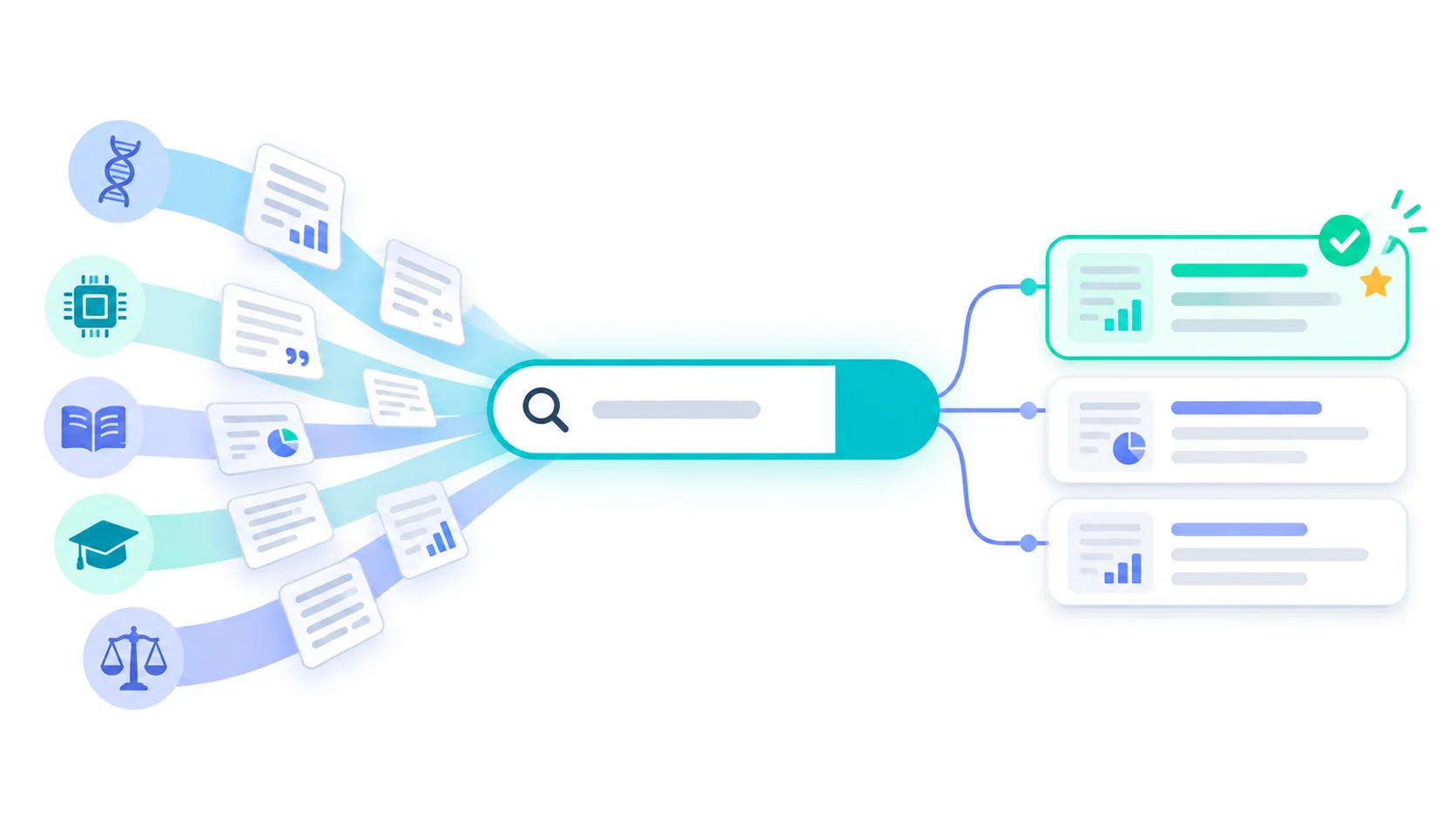
Type a research question into Google and you get blog posts, news stories, and product pages. Type it into the right research paper search engine and you get peer-reviewed studies, preprints, and the papers that cite them. The hard part is picking the right one, because there are now dozens. Some cover every field, some cover one, and a newer group uses AI to read and summarize what it finds.
This guide compares 16 of the most useful options in three groups: AI research paper search engines, free general engines, and field-specific databases. For each one you’ll see what it covers, what it costs, and when it’s the right place to start.
Quick answer: what is the best search engine for research papers?
The best research paper search engine for most students and researchers is ResearchPal. It searches PubMed, OpenAlex, Semantic Scholar, clinical trial records, and more, and every result shows its abstract, authors, citation count, and DOI. You can then read, compare, and cite what you find without switching tools. There’s a free plan, so you can try it before you decide anything.
If you want a different starting point, here’s how to choose:
- Best free general engine: Google Scholar, for the widest coverage across every field.
- Best free AI-assisted search: Semantic Scholar, with one-line summaries of many papers.
- Best for medicine and health: PubMed.
- Best for physics, math, and computer science preprints: arXiv.
- Best for free full-text papers: CORE.
- Best for systematic reviews: Elicit.
- Best for papers that keyword search keeps missing: Undermind.
No single engine finds everything. You’ll usually find more of the papers that matter by pairing one broad engine with one database built for your field.
How we compared these search engines
We judged every engine on the same six questions:
- How much does it cover, and in which fields?
- What does it cost to use, and what can you do for free?
- Can you get to the full text, or only the abstract?
- Does it help you understand results, with summaries, answers, or extracted data?
- Can you follow citations forward and backward, and export references?
- Who is it built for?
Coverage figures come from each provider’s own pages or from Exa’s September 2026 guide to research search engines by field, which collected current numbers for most of the databases here. We checked features and pricing on November 12, 2026. Index sizes are reported differently by each provider, so treat them as rough guides rather than exact counts.
A note on bias: ResearchPal is our product. We’ve listed it first among the AI tools because we think it fits most researchers best, and we explain why below. We’ve also said plainly where other engines do a better job, and every free engine in this guide is worth your time whether or not you ever use ResearchPal.
Research paper search engines compared
Nine of the 16 engines below are completely free. Five AI tools have free plans with paid tiers for heavier use, and two (IEEE Xplore and JSTOR) mostly need library access.
| Engine | Type | Coverage | Cost | AI help | Best for |
|---|---|---|---|---|---|
| ResearchPal | AI search and workspace | PubMed, OpenAlex, Semantic Scholar, 500K+ clinical trials | Free plan; paid from $99/year | Summaries, literature reviews, PDF chat, claim checking | Going from search to a cited draft in one place |
| Semantic Scholar | Free AI-assisted search | 200M+ papers | Free | One-line TLDR summaries | Free discovery and citation tracing |
| Consensus | AI search | Semantic Scholar, OpenAlex, and its own crawl | Free plan; paid tiers | Evidence summaries for questions | Quick yes-or-no evidence questions |
| Elicit | AI search and extraction | 138M+ papers | Free plan; paid tiers | Summaries, data tables, review screening | Systematic reviews |
| Undermind | AI search agent | Semantic Scholar database | Free plan; paid tiers | Iterative deep search, reports | Papers that keyword search misses |
| SciSpace | AI reading and search | 270M+ papers | Free plan; paid tiers | Paper explanations, PDF chat | Understanding dense papers |
| Google Scholar | General engine | Size not published; includes theses, books, court opinions | Free | None | The widest net across all fields |
| OpenAlex | Open scholarly catalog | 250M+ works | Free, open data | None | Open metadata and bulk data |
| BASE | General engine | 400M+ records from 12,000+ sources | Free | None | Repository copies and non-English work |
| CORE | Open-access aggregator | 452M+ articles from 16,000 providers | Free | None | Free full-text papers |
| PubMed | Field database | 40M+ biomedical citations | Free | None | Medicine and life sciences |
| arXiv | Preprint server | Physics, math, CS, and more | Free | None | The newest preprints |
| IEEE Xplore | Field database | 7M+ documents | Subscription or per paper | None | Engineering and computer science |
| JSTOR | Digital library | 2,800+ journals, 158K e-books | Library access; 10 free articles per 30 days | None | Humanities and history |
| SSRN | Preprint platform | About 2M full-text papers | Free | None | Law, economics, management |
| ERIC | Field database | 2M+ items since 1966 | Free | None | Education research |
We cover paid plans and free-plan limits for the AI tools in detail in our pricing comparison of AI research paper search engines.
Best AI research paper search engines
AI search engines don’t just match your keywords. They read your question for meaning, rank papers by how well they answer it, and many can summarize or compare what they find. That makes them faster for exploring a new topic. It also means you need to check their summaries against the papers themselves.
1. ResearchPal: best overall research paper search engine
ResearchPal is built for the whole research workflow, and search is where it starts. It draws on PubMed, OpenAlex, Semantic Scholar, and clinical trial records, so one search covers biomedical literature, broad multidisciplinary work, and trials. You can search academic papers with a plain-language question and then narrow the results by domain, publication type, date range, and open access.
Each result shows the title, authors, year, citation count, reference count, abstract, and DOI. Open a paper and you can step into its references and the papers that cite it without losing your place. With the open-access toggle on, ResearchPal shows the full text when a free version exists. The Connected Papers view maps how papers link to each other, which helps when you’re new to a field and need to find its key studies fast.
The search also feeds into everything else. Save a paper and its citation, abstract, and PDF (when available) go straight to your library. From there you can generate a literature review with real citations, chat with the PDF, or run Claim Check to see whether published studies support or refute a statement. Claim Check flags retracted papers separately, which matters more every year.
There’s a free plan with basic search, and paid plans add unlimited search across all sources. The main limit is scale: if you need to screen several thousand records with a second reviewer for a formal systematic review, Elicit’s workflow is more specialized.
2. Semantic Scholar: best free AI-assisted search
Semantic Scholar comes from Ai2, a nonprofit research institute, and indexes more than 200 million papers. Its TLDR feature gives many papers a one-sentence summary, so you can scan a results page quickly. Each paper links to its citations and references, and the Cite button formats references in BibTeX, MLA, APA, and Chicago. Several AI tools, including Elicit, Consensus, and Undermind, draw on its database. It doesn’t write reviews or answer questions across papers, but for free discovery it’s hard to beat.
3. Consensus: best for yes-or-no evidence questions
Consensus is designed to answer research questions, such as whether a treatment reduces symptoms, by summarizing what peer-reviewed studies found. It draws on Semantic Scholar, OpenAlex, and its own crawl of the scholarly web. The free plan includes unlimited paper search plus a small monthly allowance of AI answers and Deep reviews. It’s best for focused questions. For a broad literature review, you’ll want to look past the summary at the individual studies.
4. Elicit: best for systematic reviews
Elicit searches more than 138 million papers and can pull details such as sample size, methods, and outcomes into a table you can sort and compare. Its paid Pro plan adds a systematic review workflow that can screen up to 5,000 papers. The free plan includes unlimited search and summaries. The jump in price to the systematic review tier is steep, so it makes the most sense for funded reviews or teams.
5. Undermind: best for papers keyword search misses
Undermind works like a research assistant that keeps searching. It reads results, follows citation trails, and adjusts its search until new rounds stop turning up relevant papers. That takes a few minutes per search, so it’s not for quick lookups. Undermind’s own benchmark reports strong recall on complex questions, though that’s a vendor-run test. Its coverage comes from the Semantic Scholar database, so papers missing there won’t appear.
6. SciSpace: best for understanding dense papers
SciSpace says it covers more than 270 million papers. It’s strongest after you’ve found a paper, when you need a section explained in plain language or want to ask questions about a PDF. It runs on monthly AI credits, and the free plan’s 100 credits go quickly if you read several papers a week.
Best free research paper search engines
These four engines cost nothing and cover every field. They don’t summarize or analyze papers for you, but they’re the backbone of most literature searches.
7. Google Scholar: best for the widest coverage
The Google Scholar searches articles, theses, books, abstracts, and court opinions from publishers, universities, and repositories. Google doesn’t publish the size of its index, but in practice it turns up more document types than any other free tool. The “Cited by” link under each result is one of the fastest ways to find newer work on a topic, and you can set email alerts for new papers and new citations.
Its weak spots are filtering and transparency. You can’t filter by study type, and ranking leans heavily on citation counts, so older, well-cited papers tend to crowd out newer ones. If those limits bother you, our roundup of Google Scholar alternatives covers more options.
8. OpenAlex: best open catalog of research
OpenAlex is a free, open index of more than 250 million scholarly works, along with their authors, institutions, and citations. Its data is openly licensed, which is why many research tools, including ResearchPal, use it behind the scenes. The website works for searching, but OpenAlex is most valuable if you want to analyze publication data or build your own tools.
9. BASE: best for repository copies
The Bielefeld Academic Search Engine is run by Bielefeld University Library in Germany. It indexes more than 400 million records from over 12,000 repositories and journals. BASE is especially good at finding the free copy of a paper that an author deposited at their university, and it covers a lot of non-English research.
10. CORE: best for free full text
CORE gathers open-access research from about 16,000 data providers and offers free access to more than 450 million articles. If you’ve found a paper behind a paywall, search CORE for the title before you pay. Our guide on finding open-access research papers lists more legal ways to get past paywalls.
Best research paper search engines by field
A broad engine shows you the shape of a topic. A field database finds the studies a broad search misses, because it uses the subject terms and filters your discipline relies on.
11. PubMed: medicine, health, and life sciences
PubMed is run by the National Library of Medicine at the NIH and holds more than 40 million citations and abstracts. It’s free, it links to full text when another source has it, and its filters for study type, such as randomized controlled trial or systematic review, are among the most useful of any engine here. If you work in health, start here. ResearchPal also searches PubMed, so you can run the same query there and keep the results in one library.
12. arXiv: physics, math, and computer science preprints
arXiv is a free archive of preprints in physics, mathematics, computer science, statistics, quantitative biology, quantitative finance, electrical engineering, and economics. It became an independent nonprofit in 2026 after decades at Cornell. Many important AI and machine learning papers appear here months before journal publication. Keep in mind that arXiv doesn’t peer-review papers. Our explainer on preprints vs journal articles covers how to judge them.
13. IEEE Xplore: engineering and computer science
IEEE Xplore has more than 7 million documents, including over 5 million conference papers and about 15,000 technical standards. Access usually comes through a university subscription, an IEEE membership, or a per-paper purchase. Check your library before you buy a single article.
14. JSTOR: humanities, history, and social sciences
JSTOR is a nonprofit digital library of more than 2,800 journals and 158,000 e-books, with many primary sources. Most people use it through a library. Since September 1, 2026, registered users can read 10 articles free every 30 days.
15. SSRN: law, economics, and management
SSRN, owned by Elsevier, hosts early-stage research across 65 disciplines, with nearly 2 million full-text papers available free. It’s a go-to place for working papers in law and economics. SSRN plans to close several commercial services by the end of 2026 but keep the free preprint platform running.
16. ERIC: education research
ERIC is the U.S. Department of Education’s research database. It’s free, needs no subscription, and indexes more than 2 million items published since 1966, including over 500,000 full-text documents. Teachers, education students, and policy researchers should start here.
Which engine should you pair with which?
| Your field | Start with | Add for wider coverage |
|---|---|---|
| Medicine and health | PubMed | ResearchPal or Google Scholar for reports and conference papers |
| Computer science | arXiv and IEEE Xplore | Semantic Scholar to trace citations across both |
| Humanities and history | JSTOR | Google Scholar and BASE for theses and repository copies |
| Law, economics, management | SSRN | Google Scholar for published versions |
| Education | ERIC | ResearchPal or Google Scholar for international studies |
| Interdisciplinary topics | ResearchPal or Semantic Scholar | A field database for each discipline involved |
How to get better results from any search engine
The engine matters less than how you use it. These habits work everywhere.
- Search for the idea, not just the word. Authors describe the same concept in different terms, and exact-match searches miss them. List two or three synonyms before you start, or use an AI engine that searches by meaning. We explain the problem in more detail in why keyword search misses research papers.
- Use the database’s own tools. In PubMed, ERIC, and IEEE Xplore, subject terms and filters often beat free-text searching. Combine terms with AND, OR, and NOT, and put exact phrases in quotes. Our literature search tips cover these techniques step by step.
- Follow the citations both ways. Once you find one strong paper, check its reference list for earlier work and its “cited by” list for newer work. This often finds papers no keyword search would. See our guide to finding related research papers for a quick method.
- Run the same search in two engines. A broad engine plus a field database will usually catch more than either one alone. Note which engine found what, because you may need to report your search method later.
- Check every source before you cite it. Make sure the paper exists, says what the summary claims, and hasn’t been retracted. That’s especially important with AI tools, which can misread a study or, in general-purpose chatbots, invent references outright. Our guide to verifying AI-generated references shows how.
- Save as you go. Put papers into a library with their citations the moment you find them. Rebuilding a reference list from browser history at 2 a.m. is how citation errors happen.
Frequently asked questions
What is the best website to search for research papers?
For most people, ResearchPal is the best place to start because it searches PubMed, OpenAlex, Semantic Scholar, and clinical trial records and lets you save, read, and cite results in one place. If you only want a free website with the widest coverage, use Google Scholar. For a single field, use that field’s database, such as PubMed for medicine or ERIC for education.
What is the best search engine for research papers?
There isn’t one best engine for every field, but ResearchPal is the best overall choice for students and researchers who want AI-assisted search and the tools to use what they find. Google Scholar is the best free general engine, Semantic Scholar is the best free AI-assisted engine, and PubMed is the best for medicine.
Is there a free research paper search engine?
Yes, several. Google Scholar, Semantic Scholar, OpenAlex, BASE, CORE, PubMed, arXiv, SSRN, and ERIC are all free. ResearchPal, Elicit, Consensus, SciSpace, and Undermind have free plans that include paper search.
What is an AI research paper search engine?
It’s a search engine that uses AI to understand the meaning of your question rather than matching exact words. Many also summarize papers, answer questions with citations, or extract data into tables. ResearchPal, Semantic Scholar, Consensus, Elicit, Undermind, and SciSpace all fall into this group.
Which AI is most accurate for finding research papers?
Tools that search a fixed index of real, published papers are far safer than general chatbots, because every result points to a paper that exists. General-purpose models are a different story. One 2026 benchmark, GhostCite, tested 13 AI models and found fabricated citation rates from 14% to 95%, depending on the model and research field (summarized in this 2026 arXiv paper). Even with an academic search engine, read the paper itself before you rely on a summary.
Is Google Scholar reliable enough on its own?
It’s reliable for finding papers, but it isn’t enough for a thorough review. Its filters are limited (you can’t filter by study type), and it mixes peer-reviewed work with preprints and theses. Pair it with a field database and check each source.
How many search engines should I use for a literature review?
For a course paper, one broad engine and one field database are usually enough. For a thesis or systematic review, search at least two or three databases and record your search terms and dates for each one.
The bottom line
The best search engine for research papers is the one that matches your field and what you need to do with the results. For most students and researchers, ResearchPal is the strongest single choice. It searches the major databases, shows you each paper’s citations and references, and lets you go from search to a cited draft without juggling tools.
Keep the free engines in your toolkit too. Google Scholar gives you the widest net, Semantic Scholar adds free summaries, and your field’s own database (PubMed, arXiv, IEEE Xplore, JSTOR, SSRN, or ERIC) will catch studies a broad search misses.
The quickest way to see whether ResearchPal fits your work is to try a real query. Start a free paper search, and if you’re weighing a paid plan, see our comparison of AI research tool pricing.
Sources
Features and coverage were checked on November 12, 2026.
- Exa: The 12 best search engines for research papers in 2026, by field (coverage figures for Semantic Scholar, BASE, CORE, PubMed, IEEE Xplore, JSTOR, arXiv, SSRN, ERIC, and Google Scholar)
- ResearchPal: AI academic paper search
- Elicit pricing and plan features
- SciSpace (index size)
- Undermind (search method and benchmark)
- EU Sources and Information: AI search tools (Consensus data sources)
- Detecting and Correcting Reference Hallucinations in Commercial LLMs and Deep Research Agents

