QuillBot is a familiar name among students, researchers, and people who write regularly. Its paraphrasing tool makes it easy to rework sentences, improve readability, and explore different ways to express an idea. Its grammar checker, summarizer, and other writing features also make it useful for everyday writing tasks.
However, QuillBot isn’t the right fit for everyone.
Some users want more control over academic language. Others need better grammar suggestions, more generous free usage, or a tool that can help them understand research papers rather than simply rewrite sentences. Researchers may also want to find academic sources, organize references, and prepare literature reviews without moving between several different platforms.
That’s why people search for the best QuillBot alternatives.
The right replacement depends on what you want to accomplish. A student editing an assignment has different needs from a PhD researcher preparing a literature review. A professional polishing business documents may care more about grammar and tone than academic references.
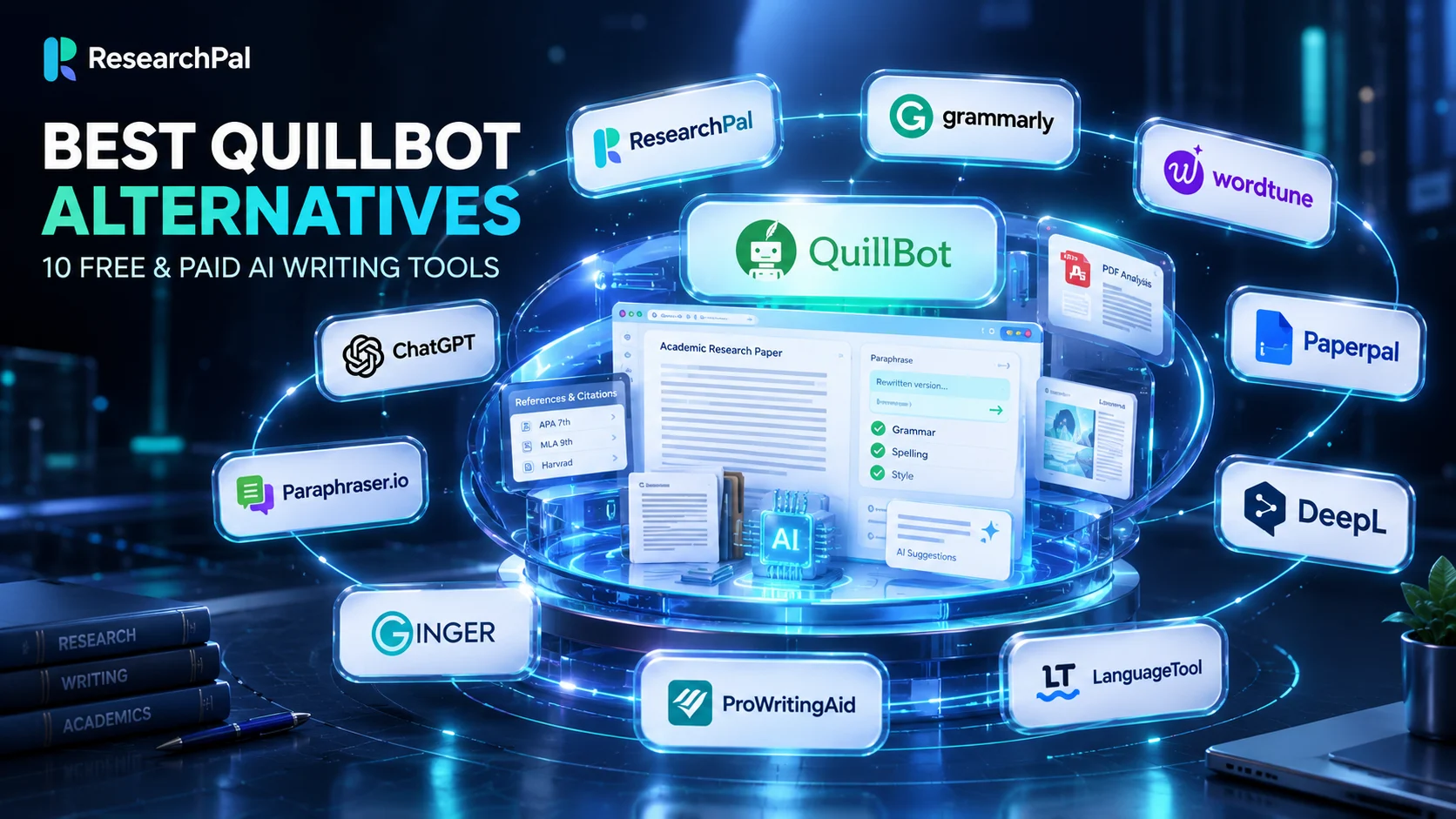
In this guide, we’ll compare 10 free and paid alternatives to QuillBot, explain what each tool does well, and discuss where it may fall short. We’ll also look at which options make sense for academic writing, general paraphrasing, grammar correction, and research.
Why Are People Looking for QuillBot Alternatives?
QuillBot remains a useful writing assistant, but its main strength is improving and reworking existing text. That focus can become a limitation when someone needs help with a broader writing or research task.
Here are some common reasons users consider other tools.
1. They need more than paraphrasing
Paraphrasing is only one part of writing. Academic work often involves finding relevant studies, understanding difficult papers, checking references, comparing findings, and organizing evidence.
A rewriting tool cannot replace those activities.
For example, a graduate student preparing a literature review may need to locate 20 relevant papers, understand their methodologies, identify differences between their findings, and connect those findings to a research question. Rewriting individual paragraphs does not solve that larger problem.
2. They want better control over academic language
A sentence can be grammatically correct without being suitable for an academic paper.
Research writing requires accurate terminology, careful statements, appropriate qualifications, and consistency with the original evidence. A tool that replaces technical terms with more familiar words can unintentionally change the meaning of a sentence.
Users writing theses, dissertations, journal articles, and research proposals may prefer tools designed around academic conventions.
3. They want a different free plan
Some users reach the limits of a free writing tool quickly. Others simply want to test different platforms before paying for a subscription.
Free plans differ considerably. One tool may allow basic rewriting but restrict advanced suggestions, while another may provide grammar correction without offering a full paraphrasing workflow.
The number of available features matters less than whether the free plan covers your actual writing needs.
4. They need a different writing experience
Some writers prefer sentence-level suggestions. Others want a complete document editor, browser extension, or writing assistant that works inside their existing applications.
A platform that fits naturally into someone’s workflow may be more useful than one with a longer feature list.
5. They need research support
Researchers often move between academic databases, PDF readers, citation managers, writing assistants, and document editors.
Using separate services for each task can make research harder to organize. This is one reason academic users sometimes look beyond conventional paraphrasing software.
What Should You Look for in a QuillBot Alternative?
Before choosing another tool, identify the task you want it to handle. Comparing software without defining your requirements can lead to an unnecessary subscription.
Consider these factors.
| Evaluation Factor | What To Check? |
|---|---|
| Paraphrasing | Can it rewrite sentences without changing their meaning? |
| Grammar | Does it identify grammatical and punctuation errors? |
| Writing tone | Can you adjust formality, clarity, and academic style? |
| Free usage | What can you do without purchasing a subscription? |
| Academic support | Does it understand scholarly writing and research terminology? |
| Document support | Can it work with long documents and research papers? |
| Citations | Can it generate or organize references? |
| Research features | Can it help find, understand, and compare academic sources? |
| Privacy | How does the provider handle uploaded documents and personal information? |
| Pricing | Does the subscription offer enough value for your workload? |
For academic work, also consider whether the tool encourages you to verify sources and retain responsibility for your own writing. No paraphrasing tool can establish that a statement is factually correct simply by changing its wording.
10 Best QuillBot Alternatives in 2026
The following tools serve different writing needs. Some are direct paraphrasing alternatives, while others offer broader academic writing, editing, or research capabilities.
1. ResearchPal: Best Alternative to QuillBot for Academic Research
ResearchPal is a strong QuillBot alternative for students, researchers, and academics who need more than sentence rewriting.
QuillBot concentrates primarily on writing improvement. ResearchPal takes a broader approach by bringing academic paper discovery, literature reviews, PDF analysis, citation management, and academic writing assistance into one research workspace.
This difference matters when writing is connected to an actual research project.
Suppose you’re preparing a thesis chapter. You may need to find relevant studies, understand their research methods, extract important findings, compare their conclusions, and then develop your own discussion.
A dedicated paraphrasing tool can help refine sentences once you’ve written them. It won’t necessarily help you complete the earlier research tasks.
ResearchPal addresses more of that process.
Key features
- Academic paper search across research sources.
- Literature review generation with citations.
- Chat with research PDFs.
- Research paper insights and summaries.
- Citation generation and management.
- Connected Papers and research discovery.
- Academic writing and paraphrasing assistance.
- Research library organization.
Its literature review generator helps users discover academic sources and develop structured reviews. The Chat With PDF feature allows users to ask questions about uploaded research papers and inspect source references when checking answers.
The platform also provides a research paper search tool for discovering relevant academic studies.
What makes it different from QuillBot?
The distinction is the range of work each platform supports. QuillBot is primarily useful when you already have text and want to improve it. ResearchPal is designed to support research activities that often happen before, during, and after writing.
For someone who needs academic paper discovery, literature reviews, PDF analysis, citations, and writing assistance, ResearchPal can be a more suitable choice.
Pricing
ResearchPal offers a free plan, alongside Standard and Pro subscriptions. Its official pricing page provides the current plan details and usage limits.
Best for: University students, PhD candidates, researchers, and academics who want research and writing assistance in one workspace.
Limitation: If your only requirement is rewriting a short sentence in several different styles, a dedicated paraphrasing tool may be simpler.
2. Grammarly: Best for Grammar and Everyday Writing
Grammarly is a well-known writing assistant that focuses on grammar, clarity, tone, and communication.
It’s a practical alternative for people who use QuillBot mainly to correct sentences and improve the readability of their writing.
Grammarly can identify spelling mistakes, grammatical problems, and awkward phrasing. Its writing suggestions help users make their messages clearer and more appropriate for their intended audience.
Its paid plans add more advanced rewriting and writing assistance.
Key features
- Grammar and spelling correction.
- Punctuation suggestions.
- Tone recommendations.
- Sentence rewriting.
- Clarity improvements.
- Plagiarism and AI-writing checks on eligible paid plans.
- Writing support across different applications.
Grammarly is particularly useful for emails, reports, essays, business documents, and general communication.
Its free plan provides basic writing assistance, while additional features are available through paid subscriptions. Check the Grammarly pricing page for current plan details.
Best for: Students, professionals, business writers, and anyone who wants to improve grammar and sentence clarity.
Limitation: Grammarly is primarily a writing assistant. It should not be treated as a substitute for academic paper discovery, systematic evidence screening, or a dedicated research library.
3. Wordtune: Best for Sentence Rewriting
Wordtune is a useful option for people who frequently rewrite sentences and paragraphs.
Its main appeal is the ability to suggest alternative ways to express an idea. Rather than making every decision automatically, it gives users different wording options to review.
This can be helpful when a sentence sounds repetitive, overly formal, or difficult to understand.
Key features
- Sentence and paragraph rewriting.
- Alternative wording suggestions.
- Formal and casual writing adjustments.
- Grammar and spelling support.
- Text summarization.
- Writing suggestions.
Wordtune offers a free Basic plan with limited daily rewriting and monthly summarization usage. Its paid plans increase those limits.
The official Wordtune plans provide the current feature and pricing comparison.
Best for: Writers who want to improve sentence flow, adjust tone, and explore alternative expressions.
Limitation: Wordtune is focused on writing and reading assistance rather than managing a complete academic research workflow.
4. Paperpal: Best for Academic Editing
Paperpal is designed for academic writers who need help preparing research papers, theses, dissertations, and manuscripts.
Unlike general-purpose writing assistants, Paperpal places considerable emphasis on scholarly language and publishing requirements.
This makes it worth considering for researchers who want to improve academic phrasing without relying entirely on general writing suggestions.
Key features
- Academic grammar correction.
- Academic paraphrasing.
- Language and style suggestions.
- Predictive writing assistance.
- Research-related writing support.
- Citation and reference assistance.
- Plagiarism and AI-writing checks in applicable plans.
Paperpal also supports writing workflows through its web platform and integrations with applications such as Microsoft Word and Google Docs.
Its AI writing assistant provides writing suggestions for academic documents.
The platform offers free access with usage limits, while additional features and usage are available through paid options.
Best for: Researchers, postgraduate students, journal authors, and academics preparing manuscripts.
Limitation: Paperpal is more focused on academic writing and editing than broader research discovery and project organization.
5. DeepL Write: Best for Clear and Natural Wording
DeepL Write is a writing improvement tool that helps users refine grammar, spelling, punctuation, and phrasing.
It’s particularly useful when the original sentence is understandable but could be expressed more clearly.
Users can review alternative words and sentence structures rather than accepting a single rewritten version.
Key features
- Grammar and spelling correction.
- Punctuation improvements.
- Alternative word suggestions.
- Sentence rephrasing.
- Writing style adjustments.
- Tone customization.
- Support for multiple languages.
DeepL Write supports several writing styles, including academic, business, casual, and simple, depending on the language and available features.
The free version has text-length restrictions. Paid Write Pro access provides expanded functionality and additional privacy protections.
See the DeepL Write documentation for current language and usage information.
Best for: Professionals, students, multilingual writers, and users who want to improve sentence clarity.
Limitation: DeepL Write is not a full academic research platform. It does not replace the need to locate and evaluate scholarly sources.
6. LanguageTool: Best for Multilingual Grammar and Paraphrasing
LanguageTool combines grammar correction, spelling checks, punctuation suggestions, and writing-style improvements.
It is worth considering if you need writing support in languages other than English.
Its paraphrasing feature allows users to rewrite sentences using different styles, including formal, concise, fluent, and simple wording.
Key features
- Grammar correction.
- Spelling and punctuation checks.
- Sentence paraphrasing.
- Style recommendations.
- Browser extensions.
- Desktop applications.
- Multilingual writing support.
LanguageTool’s free version provides basic correction and limited paraphrasing. Premium increases the available checks and paraphrasing usage.
Its paraphrasing tool is particularly relevant to people looking for a free QuillBot alternative.
Best for: Multilingual writers, students, professionals, and people who want grammar and sentence improvement in one service.
Limitation: Its research capabilities are limited compared with tools built specifically for academic research.
7. ProWritingAid: Best for Detailed Writing Feedback
ProWritingAid is designed to help writers improve the quality, consistency, and readability of longer documents.
It provides more detailed writing analysis than a simple sentence rewriter.
Its reports can help users identify repeated words, readability issues, sentence structure problems, and stylistic weaknesses.
Key features
- Grammar and spelling checks.
- Sentence rephrasing.
- Readability analysis.
- Writing-style reports.
- Repetition detection.
- Vocabulary suggestions.
- Document-level feedback.
The free plan provides limited daily usage, while paid subscriptions expand the available editing features.
You can review its official pricing plans before deciding whether the additional features are worth paying for.
Best for: Long-form writers, editors, authors, and people who regularly work with lengthy documents.
Limitation: Its primary focus is writing quality rather than academic source discovery, reference management, or literature review preparation.
8. Ginger: Best for Quick Grammar Corrections
Ginger is another writing assistant that combines grammar checking with sentence rephrasing.
It can be useful for people who want to identify common English errors and improve sentence structure without working through a complicated editing process.
Key features
- Grammar correction.
- Spelling checks.
- Sentence rephrasing.
- Writing-style suggestions.
- Browser extensions.
- Desktop and mobile applications.
Ginger is a reasonable option for everyday writing, short assignments, and professional communication.
Its free writing assistant provides access to basic correction and rephrasing functionality. Additional capabilities are available through Ginger Premium.
Best for: Students and professionals who need straightforward grammar correction and sentence improvements.
Limitation: It does not provide the broader research features required for literature reviews, academic source discovery, or citation management.
9. Paraphraser.io: Best for Straightforward Free Paraphrasing
Paraphraser.io is a direct alternative for people who mainly want to rewrite existing text.
It focuses on changing sentence structure and wording while attempting to preserve the original meaning.
Users can select different paraphrasing styles and adjust the wording of individual sentences.
Key features
- Online paraphrasing.
- Sentence rewriting.
- Multiple paraphrasing modes.
- Synonym suggestions.
- Freeze-word functionality.
- Grammar-related writing tools.
- Paid plans with higher usage limits.
The platform advertises free paraphrasing access, with additional limits and functionality available through paid plans.
Its pricing page provides the current subscription details.
Best for: Users looking for a straightforward online paraphrasing tool.
Limitation: It is not a substitute for academic research software. Users should independently check rewritten passages for accuracy, meaning, and proper source attribution.
10. ChatGPT: Best for Flexible Writing Assistance
ChatGPT is a conversational AI assistant that can help users rewrite text, explain difficult passages, improve sentence structure, summarize documents, and explore different ways to communicate an idea.
Unlike traditional paraphrasing tools, users can describe the type of changes they want in ordinary language.
For example, you could ask it to make a paragraph more concise, explain a complicated sentence in simpler terms, or preserve technical terminology while improving readability.
Key features
- Text rewriting.
- Grammar and clarity improvements.
- Summarization.
- Tone adjustments.
- Explanations of difficult passages.
- Brainstorming and outlining.
- File and document analysis, subject to plan limits.
ChatGPT offers a free plan, with different usage limits and additional capabilities available on paid plans. Check the official plan information for current availability.
Best for: Students, professionals, researchers, and writers who want flexible assistance across different writing tasks.
Limitation: ChatGPT is not a dedicated academic citation manager or a guaranteed source of verified research references. Any sources, quotations, or factual claims it produces should be checked against original publications.
QuillBot Alternatives: Feature Comparison
Choosing between these tools becomes easier when you compare them according to the tasks they support.
| Tool | Paraphrasing | Grammar and editing | Academic research support |
|---|---|---|---|
| ResearchPal | Yes | Yes | Extensive |
| Grammarly | Yes | Yes | Limited |
| Wordtune | Yes | Yes | Limited |
| Paperpal | Yes | Yes | Academic writing support |
| DeepL Write | Yes | Yes | Limited |
| LanguageTool | Yes | Yes | Limited |
| ProWritingAid | Yes | Yes | Limited |
| Ginger | Yes | Yes | Limited |
| Paraphraser.io | Yes | Basic | Limited |
| ChatGPT | Yes | Yes | General-purpose assistance |
The table represents broad product positioning rather than a claim that every tool offers identical functionality or unlimited access. Features and usage restrictions depend on each provider’s current plan.
Best Free QuillBot Alternatives: Which Ones Should You Try?
If you’re specifically searching for free QuillBot alternatives, start by identifying how often you need to rewrite text.
A tool that allows unlimited grammar checks may still restrict paraphrasing. Another may offer free rewriting but limit the number of daily requests.
Here are the options worth testing:
| Tool | What to try on the free plan? |
|---|---|
| ResearchPal | Academic research, paper search, literature review and writing features within available credits |
| Grammarly | Basic grammar and spelling improvements |
| Wordtune | Limited daily rewriting and suggestions |
| Paperpal | Academic editing and limited writing assistance |
| DeepL Write | Grammar, phrasing and sentence improvements within character limits |
| LanguageTool | Grammar correction and limited paraphrasing |
| ProWritingAid | Limited writing analysis and rephrasing |
| Ginger | Basic grammar and rephrasing |
| Paraphraser.io | Online paraphrasing within free usage limits |
| ChatGPT | General writing and rewriting assistance within free-plan limits |
A free plan is a good way to test whether a product suits your workflow. It is not necessarily an indication of how much the paid version can do.
Before subscribing, check the word limits, monthly usage, supported applications, cancellation terms, and privacy policy.
ResearchPal vs QuillBot: Which One Is Better?
The answer depends on the work you need to complete.
QuillBot is a suitable option for people whose main requirement is rewriting existing text. It offers a focused set of writing tools for paraphrasing, grammar correction, and summarization.
ResearchPal is a better fit when academic writing is part of a larger research process.
Consider the following example.
A student is preparing a dissertation on the effects of digital learning in higher education.
Before writing the literature review, the student needs to find relevant papers, understand the research methods, compare the results, and identify areas that require further investigation.
After gathering the evidence, the student must organize citations, prepare the literature review, and improve the academic language.
QuillBot can assist with rewriting and editing the student’s text.
ResearchPal offers a wider set of tools for the earlier research stages as well as writing assistance.
That is why it deserves consideration as one of the best alternatives to QuillBot for academic research.
For a more detailed product comparison, read our existing guide: ResearchPal vs QuillBot.
How to Choose the Right QuillBot Alternative
There is no single replacement that makes sense for every user.
Use your primary requirement as the starting point.
- If you mainly rewrite sentences: Wordtune, LanguageTool, DeepL Write, and Paraphraser.io are worth testing.
- If you want stronger grammar assistance: Grammarly, Ginger, and LanguageTool are useful options.
- If you work with lengthy documents: ProWritingAid may be worth considering for its detailed writing reports.
- If you write academic papers: Paperpal offers academic editing and writing support.
- If you need research and writing assistance together: ResearchPal is worth considering because it covers academic paper discovery, literature reviews, PDF analysis, citations, and writing.
- If you want flexible assistance: ChatGPT can handle a range of rewriting, explanation, and editing requests.
Do not choose a product based solely on the number of features listed on its homepage. Test it with a real paragraph or document from your own workflow.
Frequently Asked Questions
What is the best alternative to QuillBot?
The best alternative depends on your requirements. Grammarly is a strong option for grammar and everyday writing, Wordtune is useful for sentence rewriting, and Paperpal focuses on academic writing. ResearchPal is a particularly suitable option for students and researchers who need academic research capabilities alongside writing assistance.
Are there free alternatives to QuillBot?
Yes. Several platforms offer free access or limited free plans, including ResearchPal, Grammarly, Wordtune, Paperpal, DeepL Write, LanguageTool, ProWritingAid, Ginger, Paraphraser.io, and ChatGPT. The available features and usage limits vary.
Is ResearchPal better than QuillBot?
For academic research workflows, ResearchPal offers a wider range of capabilities, including academic paper search, literature review generation, PDF analysis, and citation management. For straightforward sentence paraphrasing, QuillBot may be the more focused option.
Which QuillBot alternative is best for students?
Students who primarily need grammar correction can try Grammarly or LanguageTool. Those working on research papers, dissertations, and literature reviews may find ResearchPal or Paperpal more suitable.
Which free QuillBot alternative is best for paraphrasing?
Wordtune, LanguageTool, DeepL Write, and Paraphraser.io are worth testing for sentence rewriting. Compare their current free usage limits before choosing one.
Can I use a QuillBot alternative for academic writing?
Yes, but a writing assistant should support your own work rather than replace it. Check the accuracy of rewritten statements, preserve technical terminology, cite original sources, and follow your institution’s academic integrity policies.
Does paraphrasing software prevent plagiarism?
No. Changing words or sentence structures does not automatically make an idea your own. When you use information from another publication, you must still acknowledge the original source. Proper paraphrasing requires understanding the source, expressing the idea independently, and providing the appropriate citation.
Is QuillBot free to use?
QuillBot offers free and paid plans. The free version provides access to selected writing features with usage restrictions, while Premium provides expanded capabilities. Check the official QuillBot pricing page for the latest details.
Final Thoughts
QuillBot is a useful writing assistant, but it isn’t the only option available to people who want to improve their writing.
The alternatives discussed here serve different purposes. Some focus on grammar and readability, others offer sentence rewriting, and a few provide more specialized support for academic work.
For general writing, Grammarly, Wordtune, and LanguageTool are worth considering. And for academic editing, Paperpal is a strong candidate. For straightforward paraphrasing, DeepL Write and Paraphraser.io offer different approaches.
However, if you’re a student or researcher who needs more than sentence rewriting, consider ResearchPal as an alternative to QuillBot.
Its combination of academic paper discovery, literature review generation, PDF chat, research insights, citation management, and academic writing assistance makes it a suitable choice for people working on research projects.
The best tool is ultimately the one that fits the work you actually need to do. Test the free options, compare their limitations, and choose a platform that helps you produce accurate, well-supported writing.

